Generate production quality code from state diagrams created with UModel#
SinelaboreRT generates readable and maintainable code from hierarchical UML state machines created with UModel. With its C/C++ backend it is well suited for embedded real-time and low-power applications. With support for code generation in additional widely used programming languages, it is also well suited for backend and IoT software.
General Code Generator Features#
- Automated robustness checks before code generation
- No runtime environment needed
- Works with any CPU and with/without OS or RTOS
- Focus on embedded real-time and high-availability systems
- Fits foreground/background and RTOS-based designs
- No gap between design and code
- Support for automatic test-case generation
- Interactive and batch simulation
- Optional trace code generation
- Generated code works well with static code checkers
Supported State Machine Elements#
A rich set of state machine features is available to model complex behavior:
- Hierarchical states with initial and final pseudo states as well as deep and shallow history.
- Signal events with event name, guard and action
- Conditional events (boolean triggers)
- Choices
- Junctions
These are the general modeling and code generation capabilities. The next section shows how to apply them with UModel.
Getting started on Windows and MinGW by creating a microwave oven#
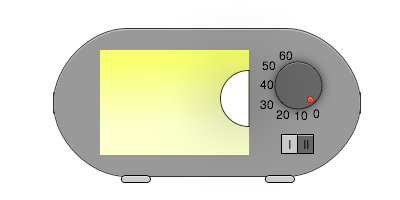
The following example shows how the code generator workflow works with UModel using a simplified microwave oven. It walks you through building a microwave oven example using UModel, MinGW, and SinelaboreRT code generation.
Requirements#
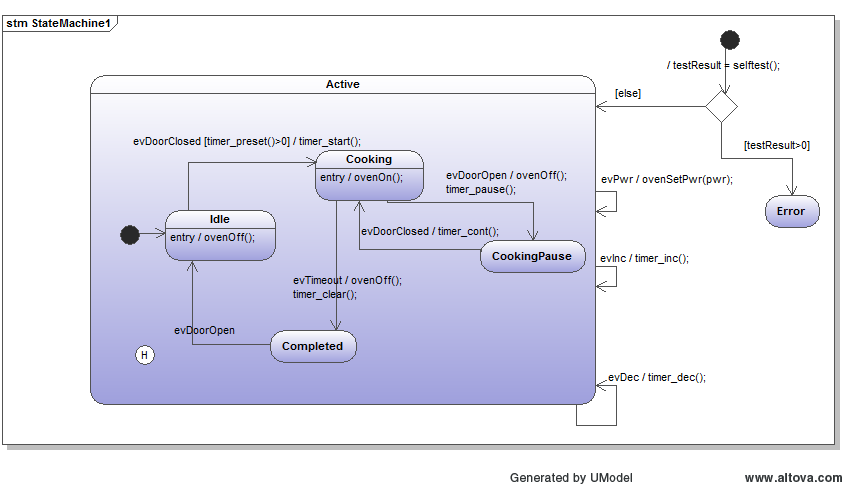
- Cooking time can be adjusted.
- Cooking starts if the cooking time is > 0s and the door is closed.
- If the door is opened during cooking, the microwave generator is switched off and the cooking time stops.
- Cooking continues if the cooking time is not over and the door is closed again (history).
- Cooking stops if the cooking time is over or the time is adjusted to zero.
- Cooking time and power can be changed at any time.
- The state machine below shows a possible solution.
The basis is a class model that contains the oven class with the state machine. The class can contain attributes and methods which are added to the generated code.
The State Machine Diagram#
Generate Code#
To generate C code, export your model to XMI and call the code generator as follows. With -t you can specify which class to generate code from. The path must match the path to the class in your model.
java -cp "../../bin/*" codegen.Main -p UModel -l cx -t "MicrowaveOven:MachineClass" -o oven oven.xmiAfter model validation (for example duplicate-state checks), full state machine code is generated.
Build and Run Generated Code#
After code generation, run the build:
mingw32-make clean
mingw32-make
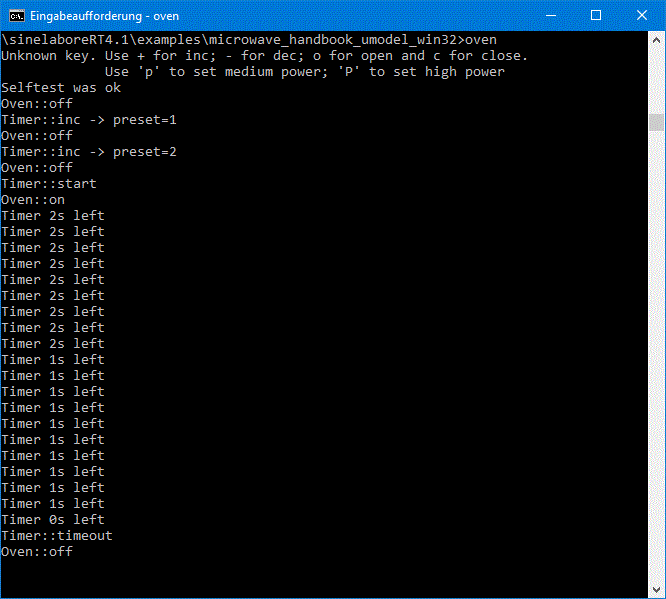
After build, run the oven executable. You can send events to the oven with the keys as shown on the console help text. E.g. fire events such as + and c.