
Getting started on Windows with Visual Studio and Astah#
This section guides you through the complete development process from designing a state machine to integrating it into an application. It helps you get familiar with the code generator and its features.
All files for this tutorial are available GitHub and as a zip archive: microwave_visual_studio_c.zip
A Microwave Oven#
In this section we create the model of a simple microwave oven using a state machine diagram. A microwave oven was chosen because it is self-explanatory and not too complex. To keep the example focused, hardware interaction routines are excluded.
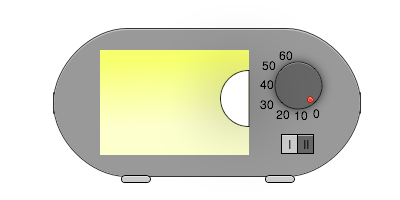
Figure 1: Simplified microwave oven. With a wheel, cooking time can be adjusted between 0 and 60 seconds. Power can be set to high (II) or low (I).
The oven controller should support:
- Cooking time can be adjusted between 0 s and 60 s.
- Cooking starts if cooking time is larger than zero and the door is closed.
- If the door is opened during cooking, the microwave generator is switched off and cooking time stops.
- Cooking continues if cooking time is not over and the door is closed again.
- Cooking stops if cooking time is over or adjusted to zero.
- Cooking time and power can be changed at any time.
Drawing the State Machine Diagram#
To fulfill the requirements, a hierarchical state machine was designed. Events that should be handled from every state are modeled once on the outer (parent) state.
This example includes several UML state machine elements and is sufficient to generate production-ready code. The design shown is one possible solution; other valid designs are possible.
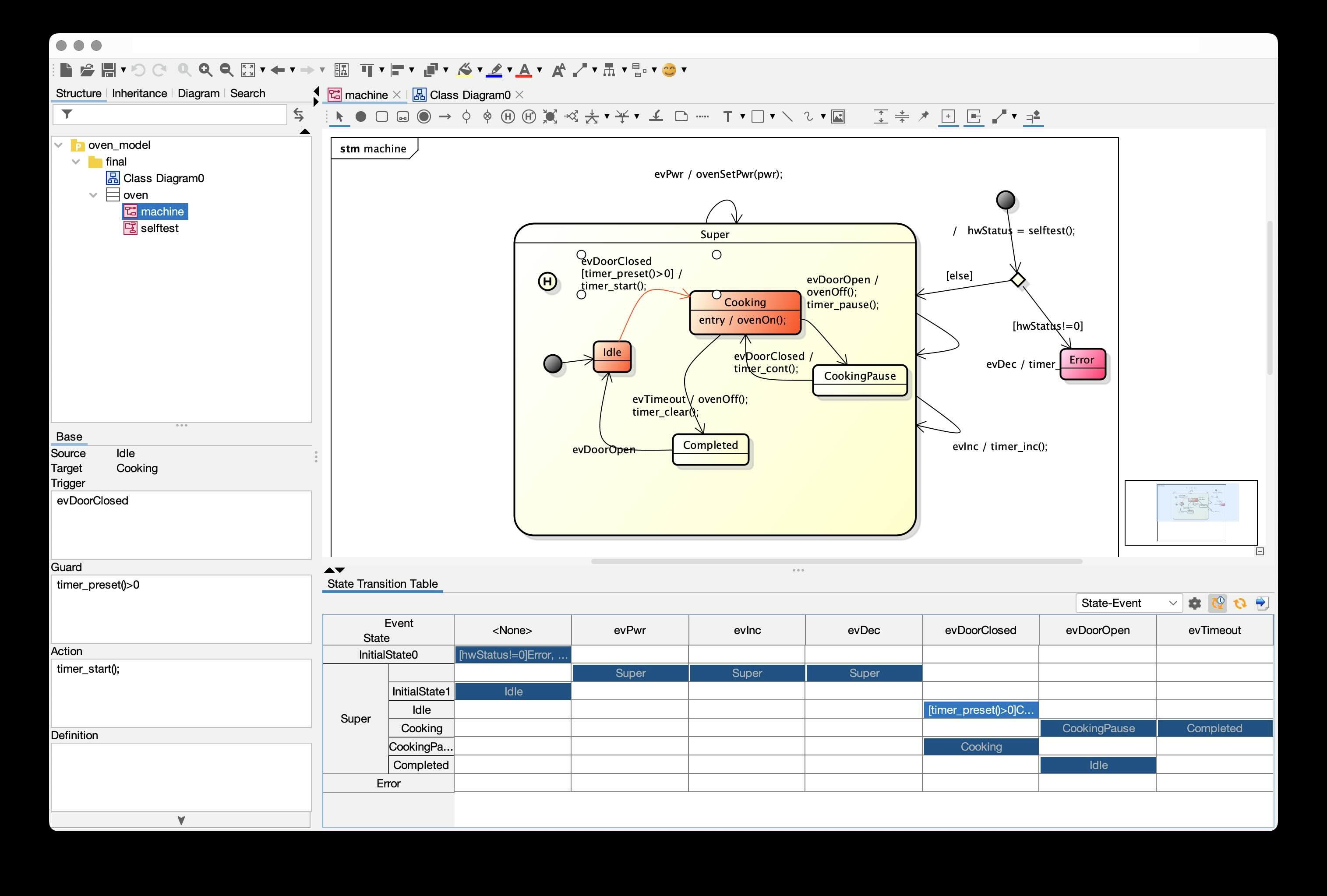
Figure 2: Complete state machine design of the microwave oven. All necessary actions, guards, entry and exit code are included.
Creating Code#
It is assumed Java and Visual Studio are installed on your PC.
To verify Java installation:
C:\>java -version
java version "13.0.2" 2020-01-14
Java(TM) SE Runtime Environment (build 13.0.2+8)
Java HotSpot(TM) 64-Bit Server VM (build 13.0.2+8, mixed mode, sharing)
Then switch to the example folder:
cd "your path\sinelaboreRT4.3\examples\microwave_visual_studio_c"Run the generation batch file and verify paths in the script for your environment. Example output:
Verbose mode on
Command line parsing success!
Parsing successfully finished.
Checking nodes ...
Checking for unique node names
Merging actions TestMicrowave and TestLamp
Merging actions bdc3d21b_a5c3_4ec5_b4b1_e9fd41b68d98 and TestSomethingElse
Verbose mode on
Command line parsing success!
Open project: oven_model.asta
Starting robustness tests of state machine ...
State names: ..............
Machine hierarchy: ........
Machine height = 2
Transitions: ..............
Default states: ...........
Final states: .............
Choices: ..................
No. of children in composites: ...
Connectivity of states: ...
M1054: State Error has no outgoing transitions which indicates a dead end -> check your design.
Can't find the License.txt file or invalid file. Codegen is running in demo mode
Expected license file location: /C:/sinelaboreRT4.3/bin/License.txt
Running in demo mode!
Double click the .sln file to load the project in Visual Studio (C++ console project).
Generated files from UML state machine and activity diagram are stored in generated.
A timer/microwave hardware simulation is provided in helpers.
Compile the solution in Visual Studio. There should be no compile errors.
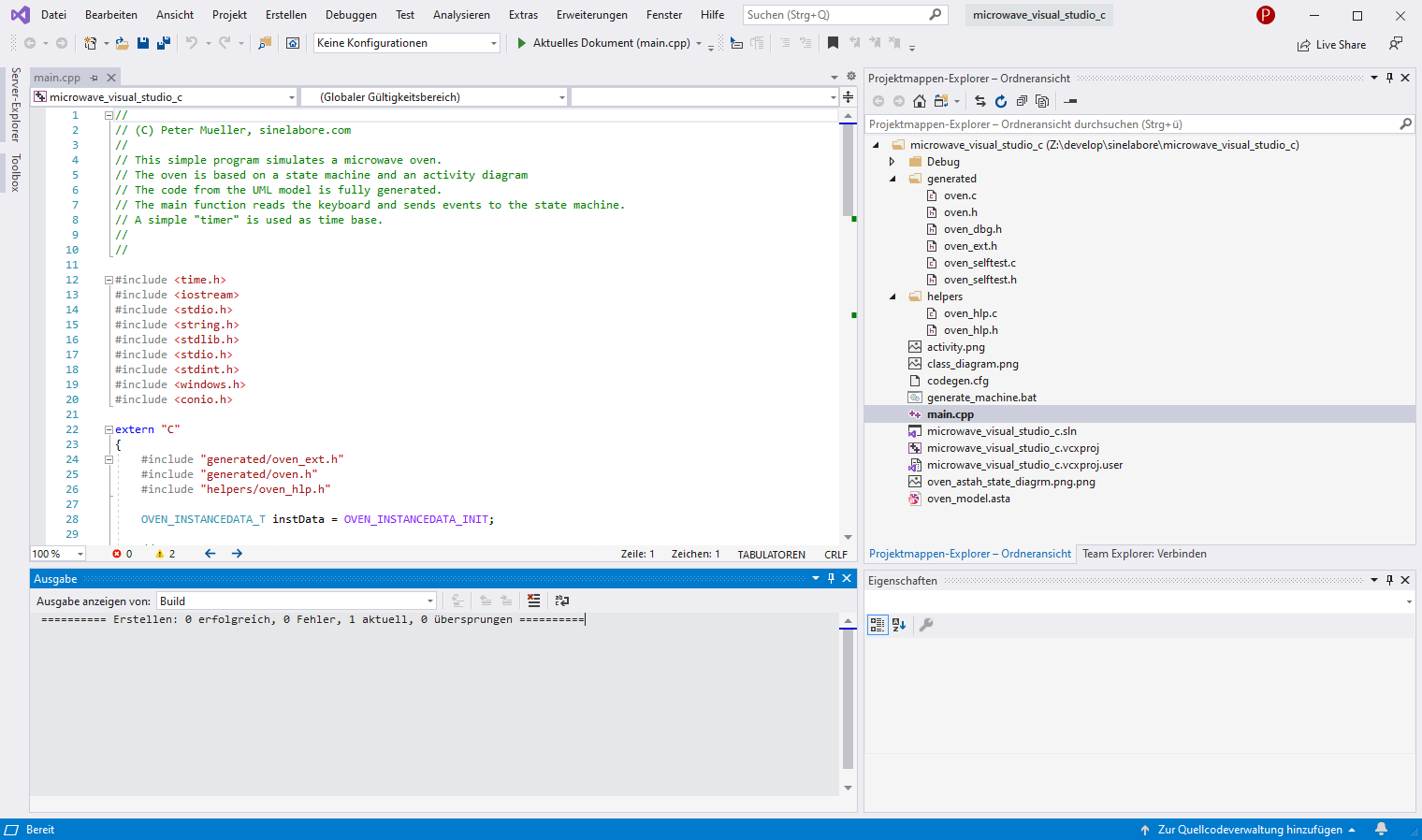
Figure 3: Visual Studio Console project. The batch file is used to create code from the UML models.
The oven executable should now build successfully.
Start the program and press + several times to increment the cooking timer, then press c to close the door. Observe behavior and test additional events.
It is recommended to reopen your UML editor, modify the state diagram, regenerate code, and inspect generated code to explore available options.
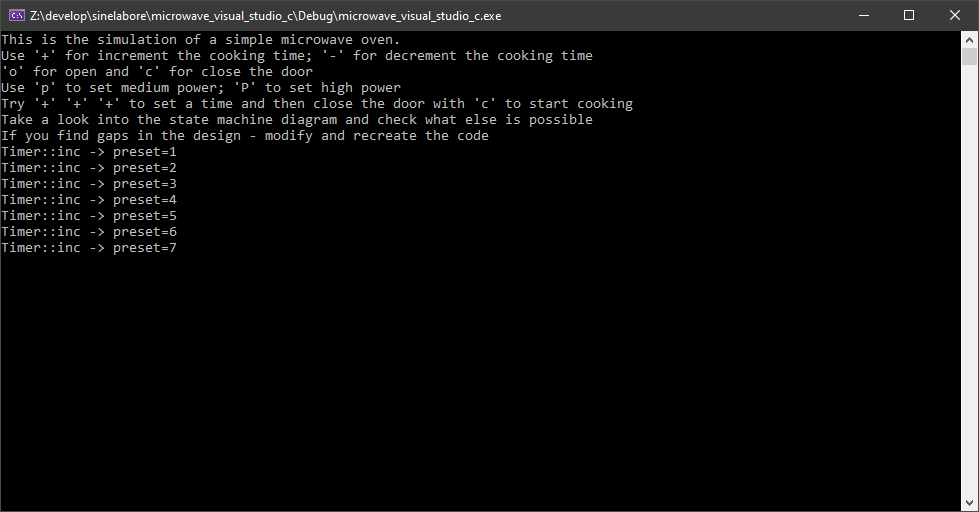
Figure 4: Executing the built oven simulation.
Some additional notes:
- The code generator can also generate code from activity diagrams. This example includes a basic activity diagram for self-test.