Generate production quality code from state diagrams created with Modelio#

SinelaboreRT generates readable and maintainable code from hierarchical UML state machines created with Modelio. With its unique features, the tool is well suited for embedded real-time and low-power application development. With its C++, Java, and other backends, it is also a good fit for server and desktop software.
Key Features#
- Automated robustness checks before code generation
- No runtime environment needed
- Can be used with any CPU and with or without OS/RTOS
- Code generation especially for embedded real-time and high-availability systems
- Fits different system designs (foreground/background, RTOS-based, etc.)
- No gap between design and code
- Support for automatic test-case generation
- Simulation in interactive or batch mode
- Optional trace code generation
- Generated code works well with static code checkers
Watch the code generator in action#
The following example shows how the code generator works with a simple microwave oven.
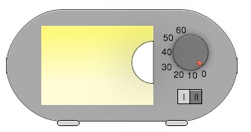
Requirements:
- Cooking time can be adjusted from 0 s to 60 s.
- Cooking starts if the cooking time is > 0 s and the door is closed.
- If the door is opened during cooking, the microwave generator is switched off and cooking time stops.
- Cooking continues if cooking time is not over and the door is closed again.
- Cooking stops if cooking time is over or time is adjusted to zero.
- Cooking time and power can be changed at any time.
The state machine below shows one possible solution.
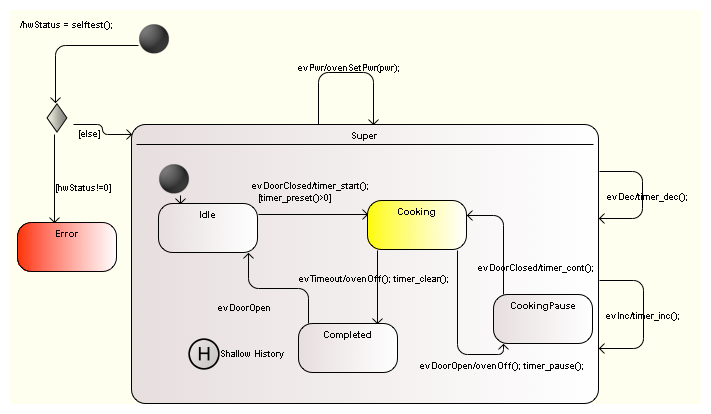
To generate C code, export your model to XMI and call the code generator:
java -jar codegen.jar -p Modelio -t "Model:Class Model:first_example_step3" -o oven first_example_step3.xmlAfter validation against well-formedness rules (for example duplicate state names), complete state machine code is generated.
Generated files include:
oven.coven.hoven_ext.h
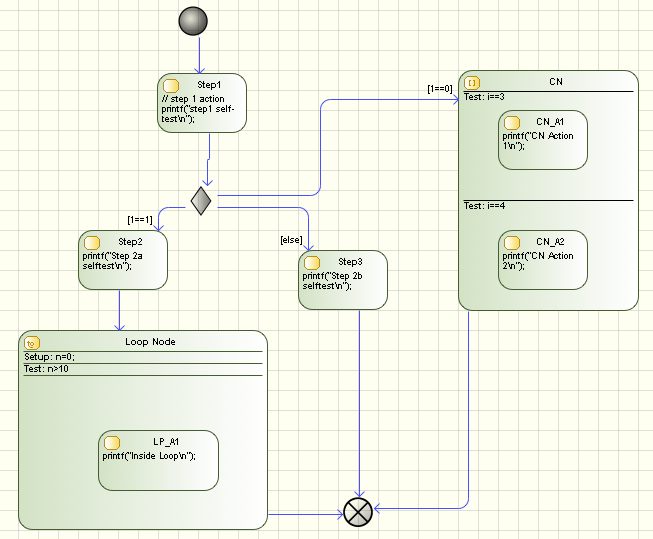
It is also possible to generate code from activity diagrams. For example, the selftest() function can be modeled as an activity diagram.
More complex examples#
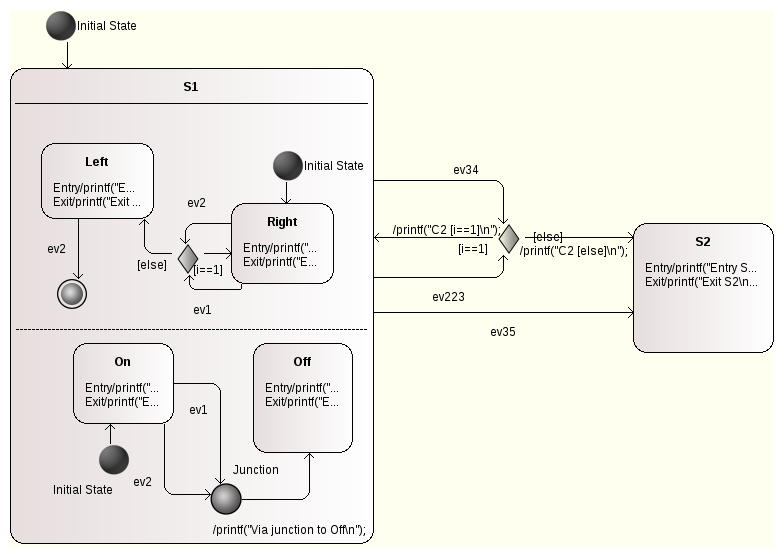
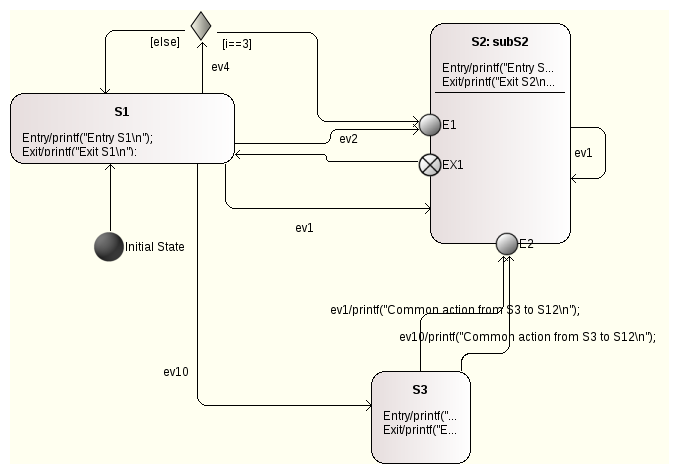
Supported state diagram features#
- Hierarchical states
- Regions (CX language backend only)
- Sub-machines in top-level states
- Signal events with event name, guard, and action
- Initial and final pseudo-states
- History states
- Choices
Find out more#
- Model-based testing of state diagrams
- Interactive simulation and trace generation
- Code generation manual (PDF)
- Download demo
Modelio How-To#
What options should I use for exporting an XMI file in Modelio 3?#
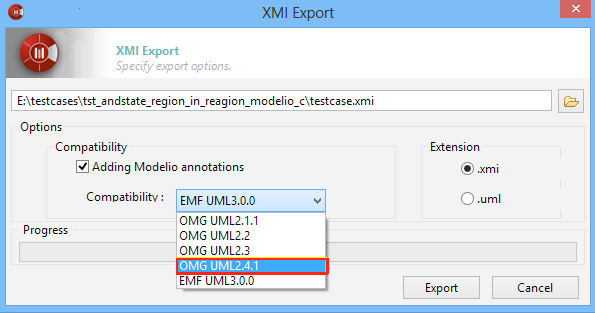
Select the following options: